Why you see it in IntelliJ but not in your project folder IntelliJ shows all dependencies under External Libraries, but they are not stored directly inside your project directory. Instead, they are downloaded and cached by your build tool (like Gradle or Maven) in a global location on your system. ~ /.gradle/ caches/modules- 2 /files- 2.1 / ~ / .m2 / repository/ You have a Maven project that uses a:1.2 → it downloads the JAR to ~/.m2/repository. Now, in a Gradle project, you also want to use a:1.2 What actually happens: Gradle does not use Maven’s .m2/repository directly. Instead: Gradle will check its own cache: ~/.gradle/caches/modules-2/files-2.1/ If a:1.2 is not found in Gradle's cache, it will: Download a:1.2 from the remote repository (e.g., Maven Central) again. Store it in the Gradle cache, not reuse from .m2. Why this happens: Gradle and Maven use different caching strategies and metadata formats, so they maintain separate repositories. BUT: You can configure Gradle to l...
DATA NORMALIZATION This is a technique of splitting a complex table in to simple meaningful tables. In here arrange tables, rows and relationships between tables in order to avoid data redundancy ( අතිරික්තතාව ) and to attain data integrity ( සම්පූර්ණත්වය ).Goal, 01. To avid data redundancy (data duplicated). 02. To attain data integrity - Data goes to inconsistence state ( ස්ථිර නෑ , අදාළ නෑ ) . 03. To put data in to correct table. 04. To avoid CRUD anomalies ( අක්රමිකතාව ). Duplicate වෙන data නවත්වන්න ඕනේ , අදාළ නැති data store වීම නවත්වන්න ඕනේ.නියමිත table වලට පමණක් නියමිට data යවන්න ඕනේ සහ DB එක සමග කරන CRUD operation වලදී අක්රමිකතා ඇති වෙන්න බෑ (අනවශ්ය data delete වීම , අනවශ්ය data add වීම ,data search කරගන්න බැරිවීම වගේ ඒවා) Partial dependency It is the dependency where non key attributes are functionally depends on any part of composite key. Full dependency It is the dependency where non ke...
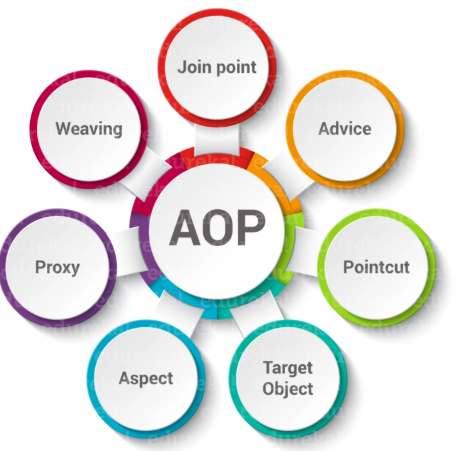
Simple definition: AOP is a way which add some behavior to a method before and after execution it. To handle the AOP behavior proxy concept has been used. Each beans which need AOP, wrap by proxy object and any incoming call is common through proxy and proxy object is handling AOP part (Normally when inject AOP beans, actually beans not inject and instead if that proxy is injecting and proxy redirect to actual methods). Optimize version: AOP is a way to apply behavior before, after, or around method execution without modifying the method itself. Spring AOP uses proxies to achieve this. Only beans that match AOP pointcuts are wrapped in proxy objects. When we inject such a bean, we are actually injecting the proxy, which intercepts method calls, applies AOP logic, and then calls the actual method on the real bean. Core Spring AOP Annotations (used in custom aspects) @Aspect --------------------> Marks a class as an aspect that contains AOP advice methods @Pointcut -------...


Comments
Post a Comment